

SimplePlay Pro for iPad
Cue it. Check it. Press GO.
SimplePlay Pro turns an iPad into a playout deck for live events. Line up the next video, still or sound in PREVIEW, then send it to PROGRAM, full screen on a projector, TV or LED wall over USB-C or HDMI. Every control stays on the iPad.
iPad · iPadOS 18 or later · $49.99, no subscription
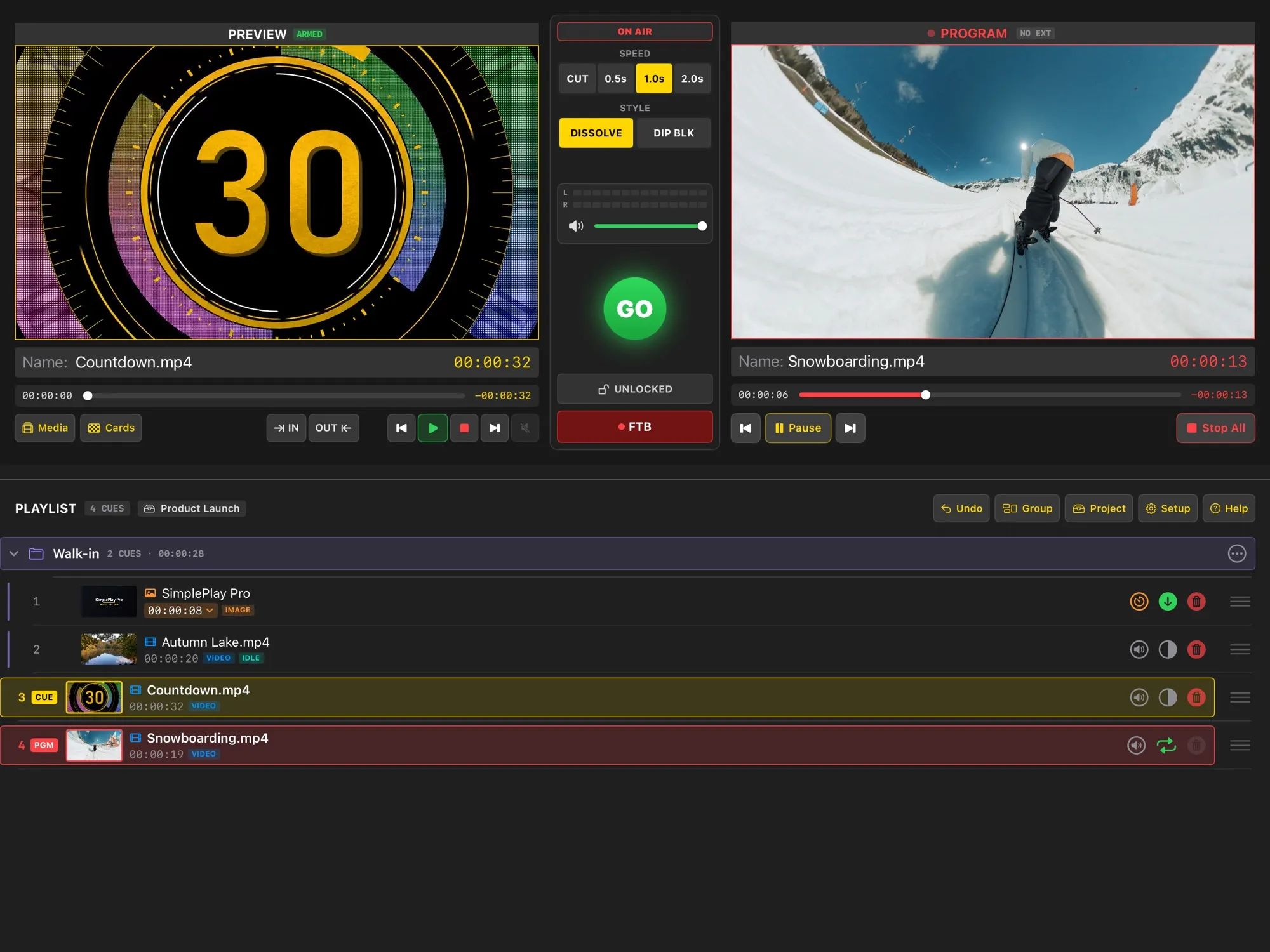
PREVIEW, then PROGRAM
Check the next cue in PREVIEW while the audience sees PROGRAM. GO turns green when the cue is ready, and the take is instant.
Safe for live use
Show Safe locks anything that could cut the show by accident and leaves GO and fade to black ready. Errors show as banners, never as alerts that block the deck.
Control it your way
Touchscreen, keyboard, presentation clicker or Stream Deck, MIDI with learn mode, and OSC from Bitfocus Companion, TouchOSC or your show-control system.
Private by design
No accounts, no ads, no tracking. Your media stays on your iPad, and the app collects no data at all.
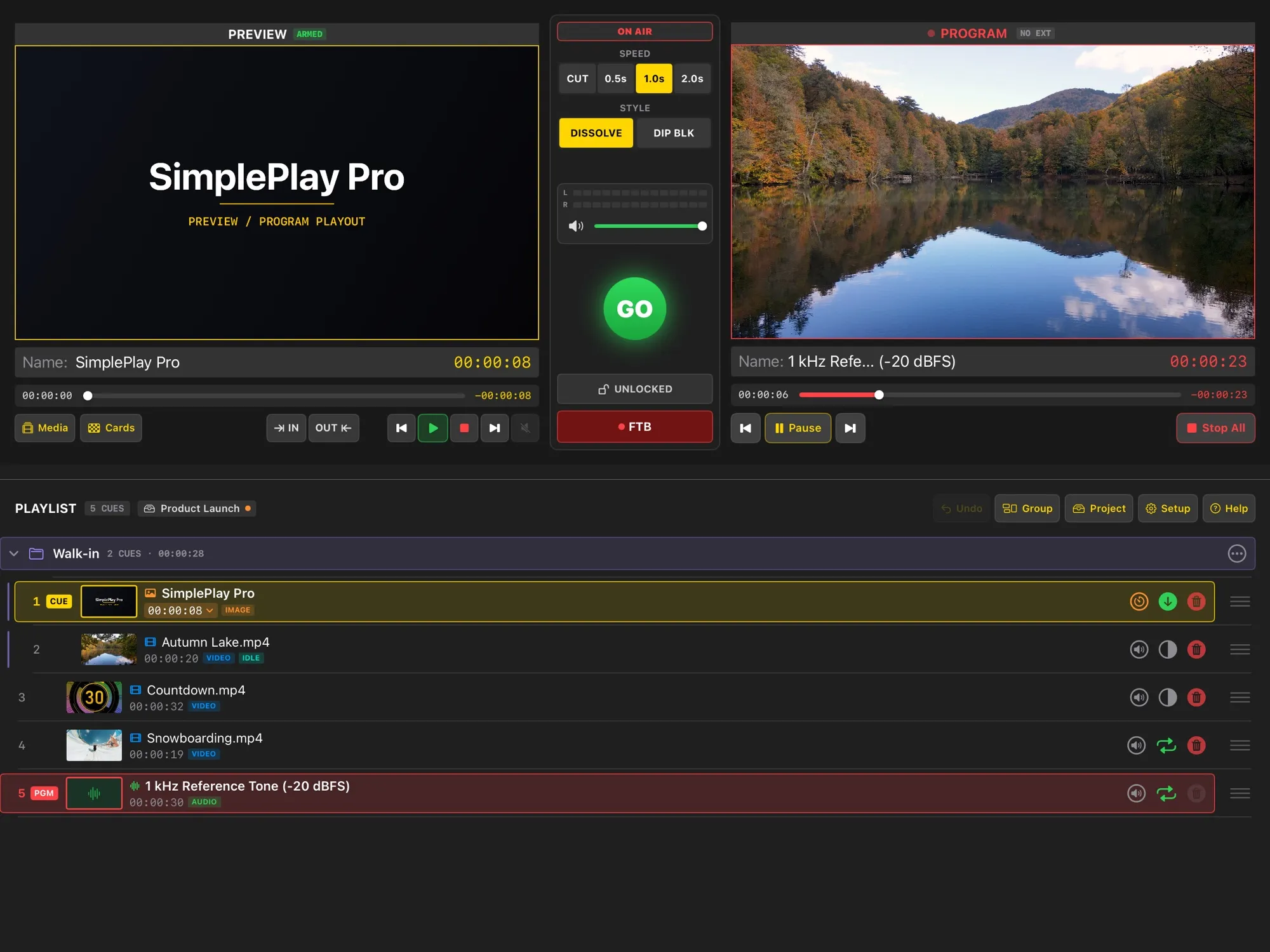
Never black unless you want it
- An idle picture: a holding slide or looping background whenever nothing is on air
- It stays up behind music and sound cues too
- Seamless loops for walk-in and background video
- Cross-dissolves, dips to black and cuts, at 0.5, 1 or 2 seconds
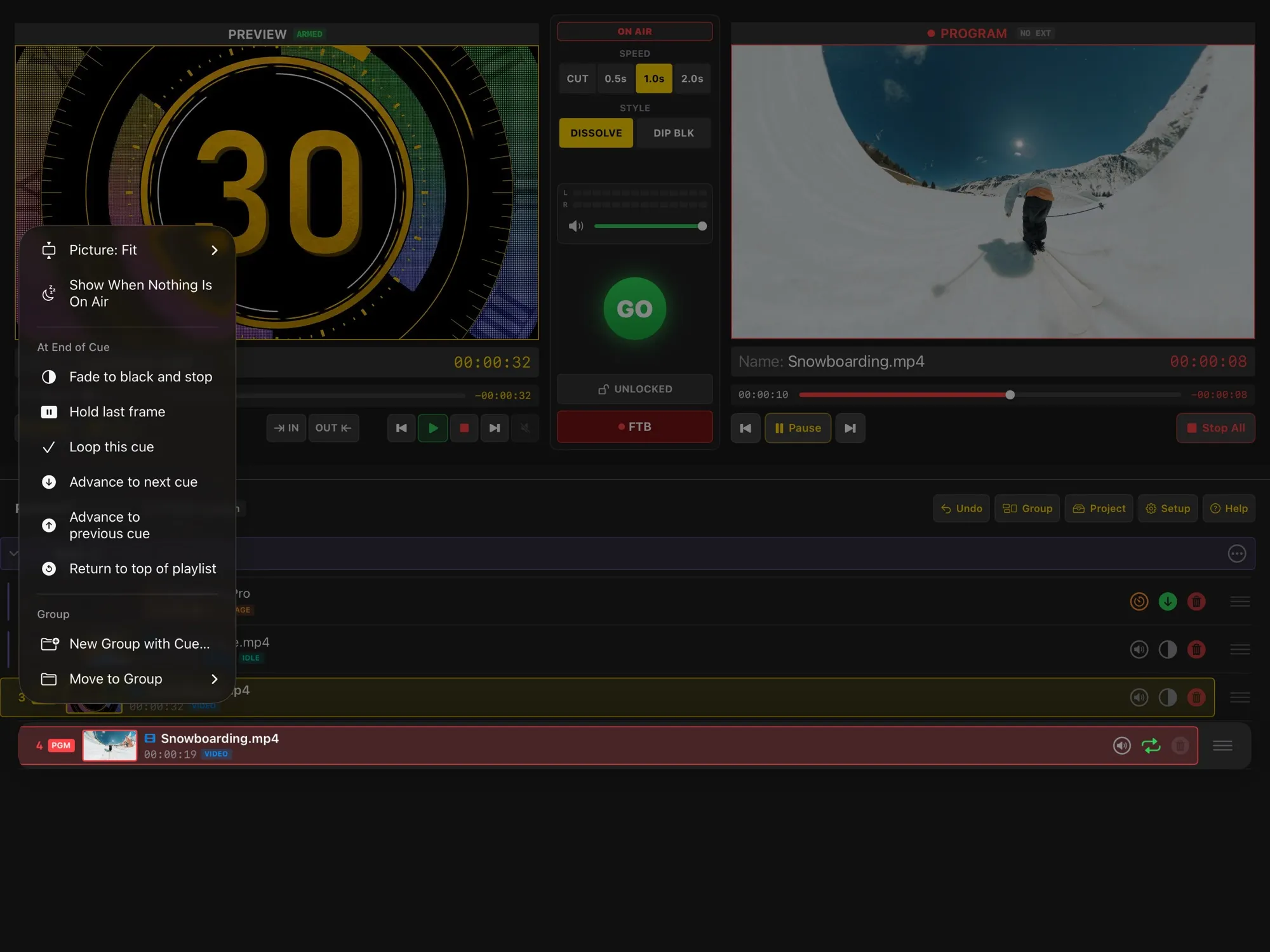
Every cue knows what comes next
- Fade out, hold the last frame, loop, or go on to the next cue, the previous cue or the top
- Trim any clip with IN and OUT points
- Fit, fill or stretch each picture to the screen
- Fold the playlist into named groups and save whole shows as projects
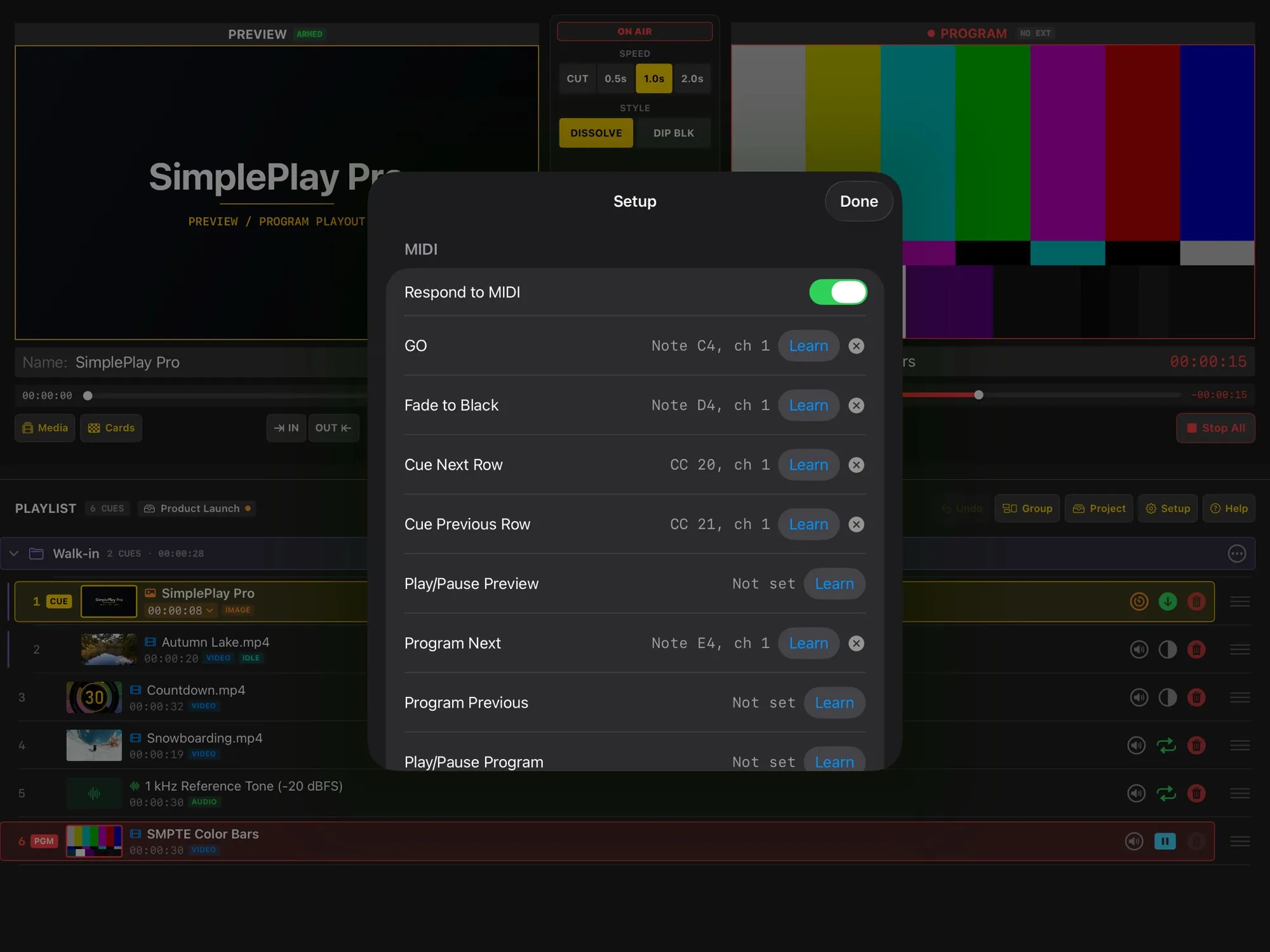
Run it from a controller
- Keyboard shortcuts: Space is GO
- MIDI triggers with learn mode, over USB, Bluetooth or Network MIDI
- OSC remote control over Wi-Fi or Ethernet
- Show Safe applies to every input, not just the touchscreen
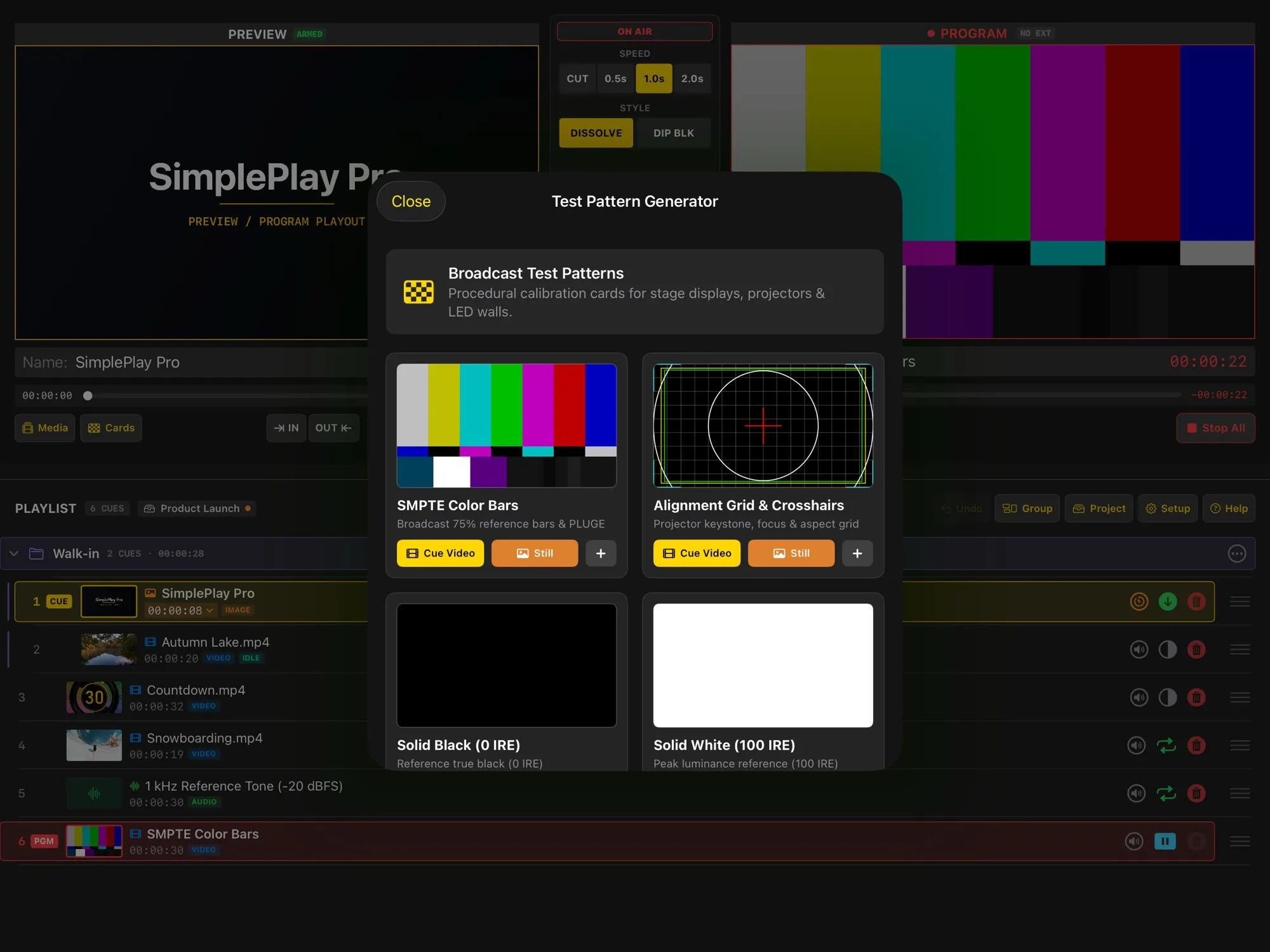
Ready for the venue
- Built-in test cards: colour bars, an alignment grid, black, white and a 1 kHz line-up tone
- Choose the output resolution the projector or LED processor accepts
- Shrink the picture for TVs that crop the edges
- Display Diagnostics shows what the iPad is sending, with a report you can copy for support
What you need
- An iPad with iPadOS 18 or later
- A USB-C-to-HDMI adapter or cable for the projector, TV or LED wall
- Your media: MP4 or MOV video, MP3, WAV, AAC, AIFF or FLAC sound, and common image formats
Running a bigger show from a Mac, with multi-track compositing, NDI or SDI? See SimplePlay Pro X. Questions? See Support, or read how the app handles your data in the privacy policy.